

What Makes SaveFromIns a Useful Addition to Your Everyday Instagram Experience?
 A useful Instagram post does not always look like something worth saving at first. It might be a 20-second clip showing how a street vendor prepares a local dish, a carousel documenting an unusual architectural detail, or a photograph that gives a designer an idea for a future project. People often discover these things while browsing for something completely unrelated.
The problem usually appears a few days later. Finding that particular post again can mean scrolling through a crowded saved collection, checking an account's publishing history, or trying to remember the keywords used in the original caption. Instagram is excellent at distributing visual content, but revisiting a specific piece of media is not always as convenient as discovering it.
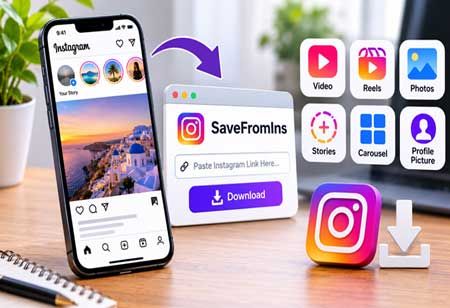
This is where a dedicated online utility can be useful. SaveFromIns offers a way to save supported Instagram content outside the usual browsing experience. For users primarily interested in video content, it also serves as an Instagram video download tool, while providing additional options for Reels, photos, Stories, carousel posts, and profile pictures.
A Single Instagram Account Can Contain Several Kinds of Useful Material
Consider someone following a Mumbai-based food creator. One day, they find a Reel demonstrating a regional recipe. The next day, the same account publishes a carousel showing ingredients and preparation details. Later, a Story features a temporary update about a new restaurant.
Although all three publications come from the same account, they serve different purposes. The Reel is useful for watching a cooking technique, the carousel contains visual information, and the Story captures a short-lived update.
This is why a single-format downloader can feel restrictive. Instagram is not simply a collection of video posts, and people's reasons for keeping content are rarely limited to one format.
SaveFromIns addresses this distinction through separate options for Instagram videos, Reels, photos, Stories, carousel posts, and profile pictures. Users can select the relevant feature instead of searching for an entirely different service whenever they encounter another type of content.
The Difference Between Bookmarking a Post and Keeping a Media File
Instagram's built-in saving feature is useful for organizing posts within the platform. It allows users to return to content without immediately downloading anything. However, a bookmarked post and a locally saved media file serve different purposes.
A bookmarked post remains connected to Instagram. Its availability and visibility can change if the original content is deleted, the account changes its privacy settings, or the publication becomes inaccessible.
A downloaded file, when successfully processed, can instead be stored on a compatible device and viewed through its local media applications. This can be useful when preparing a visual reference folder, collecting personal travel inspiration, or keeping a cooking demonstration available for later reference.
SaveFromIns provides this additional option through a link-based process. Users copy the URL of supported Instagram content, open the corresponding feature on SaveFromIns, and submit the link for processing.
It is a small distinction, but an important one: the service is not designed to replace Instagram's bookmarking system. It offers a different way to access supported media.
Why the Range of Supported Formats Matters
The value of an Instagram utility is not necessarily determined by how many buttons appear on its homepage. What matters more is whether its features correspond to the content people actually encounter.
For example, someone collecting fashion references might be more interested in individual photographs and carousel posts than video downloads. A person researching travel destinations may want to keep Reels showing walking routes, landscapes, or local experiences. Someone following a photographer may occasionally need to access a profile picture in a larger view.
SaveFromIns brings these different requirements together within one website. Its dedicated options cover Instagram video, Reels, photos, Stories, carousels, and profile pictures.
This makes the platform relevant to a wider range of Instagram activities. Users do not have to approach every post as a video, nor do they need to assume that one downloading feature will handle every format.
A Browser Utility Has Its Own Advantages
There is another reason why a browser-based service can be useful: not every task needs a permanent place on a smartphone.
People regularly install applications for activities they perform only occasionally. Over time, these applications compete for storage space, permissions, and attention. For a relatively straightforward task such as processing an Instagram link, opening a website can be a more reasonable choice.
SaveFromIns keeps its core experience online. A user can access the service through a browser, submit a supported Instagram URL, and use the available downloading option without installing a separate desktop downloader or mobile application.
This also makes the service relevant beyond one particular device. Someone who discovers content on a smartphone may later prefer to work with the resulting media on a computer. The browser-based approach offers flexibility without requiring users to build their routine around a specific installed program.
Of course, browser access does not mean every Instagram post can be processed. Content availability, privacy restrictions, and changes to Instagram's technical environment can affect whether a particular link works.
The Less Obvious Value: Reducing Dependence on the Instagram Feed
Social platforms are built around continuous discovery. New posts replace older ones, recommendations change, and the next interesting item is always waiting a swipe away.
That environment is useful for exploration, but it is not necessarily ideal for keeping information organized. A person who discovers several useful references in one afternoon may want to separate them into their own collections rather than depend entirely on remembering where each post appeared.
A downloaded cooking demonstration can be kept alongside recipes. Travel photographs can be grouped with destination research. Design references can sit in a project folder rather than disappear among unrelated social media bookmarks.
SaveFromIns can support this kind of personal organization by providing access to supported Instagram media formats. It does not organize the resulting files for users, but it gives them another way to obtain media that they can subsequently manage on their own devices.
This is a more practical way to understand its role: not another social network, not a content discovery platform, but a utility that fits into the space between discovering something interesting and deciding what to do with it.
Using Downloaded Content With Respect for Its Original Creators
The convenience of saving media should not obscure the rights attached to it. A downloadable photograph remains the work of its photographer, and a video does not become free to redistribute simply because a copy can be obtained.
Users should consider the creator's permission and applicable copyright rules before sharing downloaded material elsewhere or using it for commercial purposes. Private accounts and restricted content should also be treated with respect.
SaveFromIns is intended to make supported Instagram media easier to save, not to remove the responsibilities that come with using someone else's work.
A Practical Companion Rather Than Another Social Platform
The most useful digital tools are sometimes the ones that perform a specific task without demanding much attention. SaveFromIns follows that idea by concentrating on a particular gap in the Instagram experience: accessing and saving different types of supported media through a browser.
Its value comes from the combination of multiple format options and a straightforward link-based workflow. Someone might arrive looking for a Reel, discover the photo downloader later, and return when they need to save a carousel post. The different features remain part of the same service rather than separate tools scattered across the web.
For people who treat Instagram as more than a source of entertainment, that flexibility can make SaveFromIns a useful addition to their everyday collection of online tools.