

How AI Is Helping Small Businesses Scale Video Marketing Without Expanding Their Teams
 Introduction
Video is the new showroom for small Indian businesses. Instagram Reels, Shorts, WhatsApp catalogs or marketplace listings, more Indian consumers are turning to video to see products in action.
According to a study commissioned by Meta, 97% of surveyed Indian consumers are watching short form videos every day.
However, here's the problem. The demand for new videos continues to increase, and small businesses can't continue to add staff.
It's where AI comes into play. Rather than filming new videos, smaller teams can now polish existing content, enhance the quality, add closed captioning, and repurpose one piece of content into many.
Less editing, more selling.
Why can't a small business just post less video?
Less video posting seems like the easiest solution. But will consumers still take the time to see your brand?
Reels and Shorts are one of the easiest and most fun ways to engage with your audience through consistent content. In these marketplaces, there's such a huge emphasis on video content that viewers are searching for it before buying.
Here's the thing: filming isn't a headache. It's the stuff that comes afterwards.
First, you must correct poor lighting, ditch older captions, resize clips, throw in some translations, and make a few versions for each platform. And all that can take up plenty of hours!
What does an AI-assisted video team look like?
If you're a small business, you don't need a large team to do your video chores. Here's the truth: a single marketer can jump into most editing, cleanup, and content preparation with a handful of easily acquired tools.
One good alternative is Vmake Labs, a browser video studio that can complete more than one task at a single place.
How does that work in practice? The process is simple: generate → fix → localize → package.
Looking for a fast, efficient way to produce footage? Start by generating short 2 to 15-seconds clips that incorporate text, images, or reference videos in Seedance, Kling, and Veo. Here's the catch: once you have your clips, Vmake Labs Video Enhancer takes it from there by improving the quality of low-resolution footage and upscaling up to 8K. Want to remove captions, text, logo watermarks, or distracting bystanders? You can do that with its removal tools.
So, what's next? The team has an easy way to add captions, create alternative language versions, and load the videos for Reels/ Shorts/ product pages.
Don't worry, we're not here to replace creative talent. It's just about reducing the repetitive manual work that can have your small team stumped.
Can AI really make phone footage look professional?
Yes, within limits. Got a product video that looks dull, grainy, or slightly blurry? You don't always need to shoot it again. Sometimes, a little cleanup can make a big difference.
An AI video enhancer like Vmake Labs offers three options:
- Fast mode: Handles quick fixes at the original resolution, 2K, or 4K.
- Quality mode: Uses AI to rebuild missing details, with enhancement up to 8K.
- Master mode: A premium option for members who need more advanced processing.
Vmake Labs has other modes such as Product to make the labels and textures sharper, Lowlight to record in dim conditions, Portrait for clearer faces and Studio to give a more professional appearance. The De-AI feature minimizes skin areas that look too smooth and repeated textures.
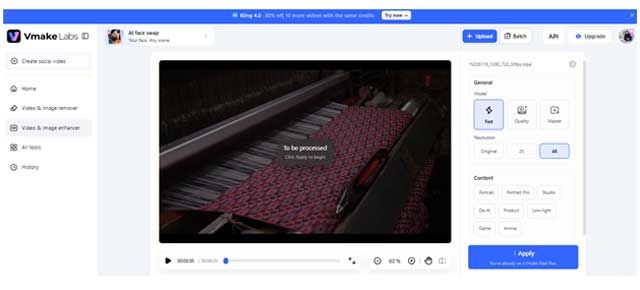
Another good feature is Batch Enhancement. Your team can apply the same fix to a dozen product clips at a time, rather than individually. Supported formats include MP4, MOV and AVI files, with an auto-detect enhancement model.
But there's a catch. Even 8K enhancement can't guarantee perfect results from badly recorded footage. AI may also change small product details, so it's worth checking labels, colors, and textures before publishing.
Our test: Carpet weaving in Jodhpur
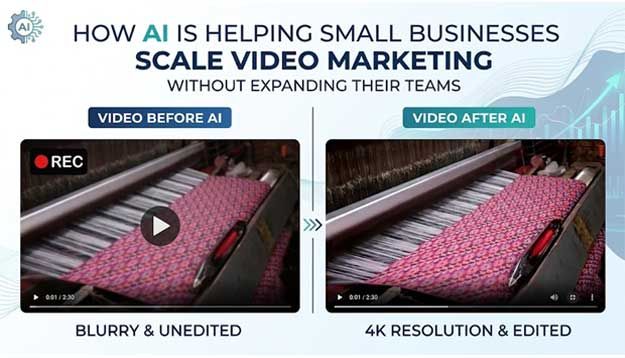
We used Vmake Labs on a video of weaving a colorful carpet on a loom. The original video was blurry and a bit dark. It was difficult to make out the pattern of the carpet and weave details in the video were lost.
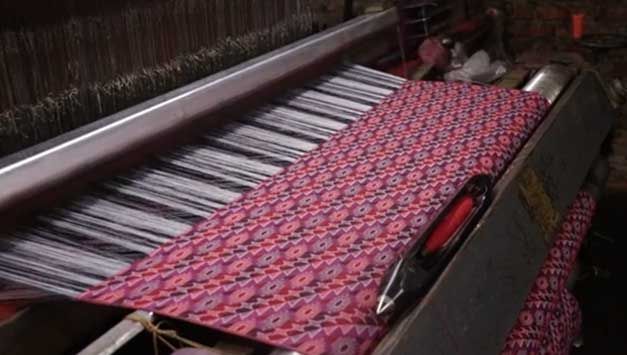
We applied Vmake Labs' 4K enhancement. The result looked brighter and sharper, with clearer carpet patterns, richer colors, and more visible details around the handloom.
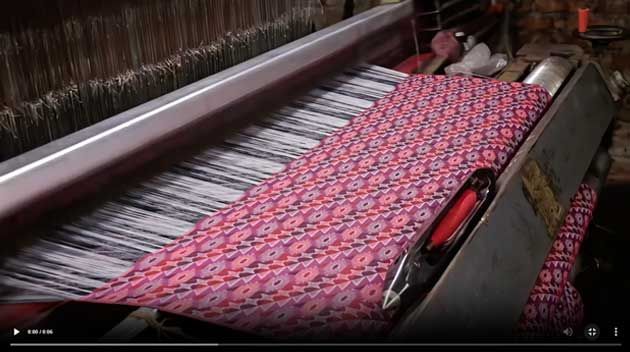
The result? The clip looked far more slick and social-ready and didn't need to be shot again.
How do we reuse content we've already paid for?
Why re-shoot everything when you already have hours of footage just sitting on a hard drive? For most small businesses, there are years of YouTube explainers, trade-show videos, product demonstrations, and Reels to reuse.
The challenge? Old captions, logos, watermarks, and campaign verbiage can date those clips.
Video and Image Remover from Vmake Labs is there to help you. You have the right to mess with footage that you own, or you are granted permission to edit. It has the following removal modes:
- Smart: Automatically detects and removes unwanted elements.
- Subtitle: Clears old captions so you can add updated ones.
- Watermark: Removes static or moving marks using smart tracking.
- Passerby: Helps remove unwanted people from the background.
- Smart Pro: A members-only option for larger text, busy backgrounds, and tricky details.
There's also Manual mode to choose a specific area you want to clean. Vmake allows batch processing of up to 30 videos or you can drag and drop clips via links for larger projects. The first five seconds are available to view for free while exporting the full HD version.
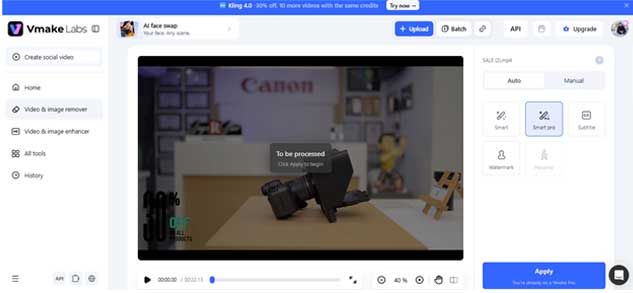
That's where it becomes handy. A store can put last year's product demo to use again: replace the original promo banner with a new one, add new captions, and it will be good to go.
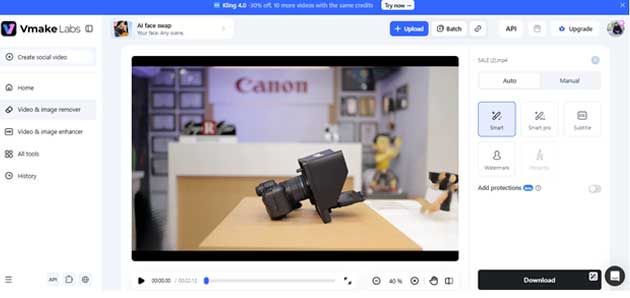
Merely look at the cleaned sections for blurry areas or full of missing data. Only go for removing watermark or branding when you have the legal rights to do so.
The Takeaway
More videos sound great, but are they helping the business grow? That's what founders need to figure out.
Start by tracking four simple things:
- Videos published per week: Is the team producing more content?
- Cost per video: Are editing and production costs going down?
- Hours saved per video: How much manual work has been reduced?
- Hook performance: Which opening lines or scenes get more views, clicks, and engagement?
Over the next five years, the small business with the most clicks won't be the one with the most employees. It'll be the smallest business that can take a product recording and turn it into useful content quickly, and in the language and quality it needs. Tools like Vmake Labs could make that process faster, without bigger payrolls.